Design-Ops
Integrating design operations to align Product and Engineering — Design Thinking adoption, design handovers, research ops, and the company's first Design System.
Role
Product Designer
Team
4 Product Designers, 6 Products, 6 Product Managers, 30 Engineers
Duration
6 months
Tools
Figma, Microsoft Power Automate, SharePoint
One Identity
Design Operations
Design Thinking
Adoption
6 months
to full adoption
Design
Handovers
30
engineers enabled
Research
Ops
3
automated flows
Design
System
5
products unified
The Context
Two levels of problems
When I joined One Identity as the sole Product Designer on Safeguard, the team had no design process. Development was solution-led — engineers and PMs jumped straight to building without understanding the problem. The previous Product Designer was an ex-engineer. Beyond my team, the wider design organisation had its own gaps.
1 Product Designer, 2 PMs, 30 developers. Development was solution-led with no Design Thinking knowledge.
No design handovers. Engineers built what PMs requested without understanding customer problems.
4 Product Designers across 6 products. Little user research knowledge. No access to customers.
No design system. No shared participant database. Inconsistent experiences across products.
Four Initiatives
A 6-month programme to change how the team works
I identified four areas where design operations could have the biggest impact. Each followed the same pattern: understand the problem, design a solution, measure the impact.
Design Thinking Adoption
Transition the team from solution-led to problem-led development.
Effective Design Handovers
Give developers everything they need to build autonomously.
User Testing Participant Database
Enable designers across the company to find and invite the right participants.
Company's First Design System
Create a single source of truth for design across 5 products.
1. Design Thinking Adoption
From solution-led to problem-led
The team did not understand Design Thinking, which led to an engineering-led, solution-first approach, resulting in an inability to understand and meet customer needs.
A four-step approach
I couldn't mandate a new process on a team of 30 engineers who had been working the same way for years. The approach had to be gradual — start with the PMs, demonstrate value, then expand.
Workshops
Created templates for basic Design Thinking methods. Started with PMs to avoid alienating the wider team, then transitioned to engineers.
Resources
Once PMs understood the benefits, I introduced the Design Thinking Toolbox and Playbook as shared reference material.
Adoption
Created a process diagram mapping Design Thinking phases to the team's workflow — showing engineers exactly how it affects their work.
Integration
Every task now has a parent task with a Problem Statement that evolves into a How Might We statement. Design Thinking became the default, not an add-on.
Step 1: Workshop templates
I created templates for core Design Thinking methods — Problem Statements, W+H Questions, 5 Whys, and Design Principles — so the team had structured tools to work with rather than abstract concepts.
Step 2: Reference material
Once the PMs understood the benefits, I introduced reference material the team could use independently — including a tools quickfinder matrix that maps methods to project phases and timeframes.
Step 3: Integration into the workflow
I created a diagram showing exactly how Design Thinking maps to the team's existing workflow — who is involved at each phase, which tools they use (FigJam, Figma, Backlog), and where outputs are documented (Confluence).
6 months
from introduction to full team adoption
30 engineers and 2 PMs transitioned from solution-led to problem-led development
Impact
The team transitioned entirely into considering each task as a customer problem
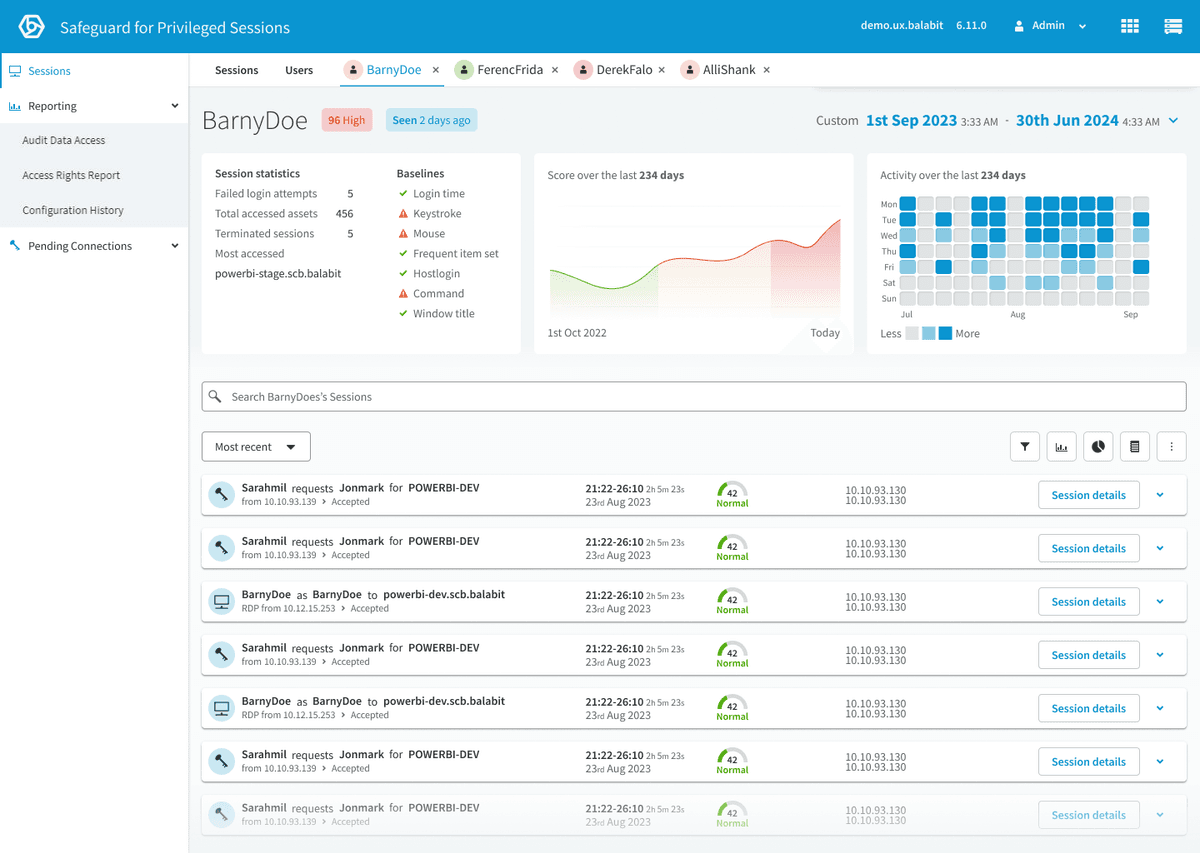
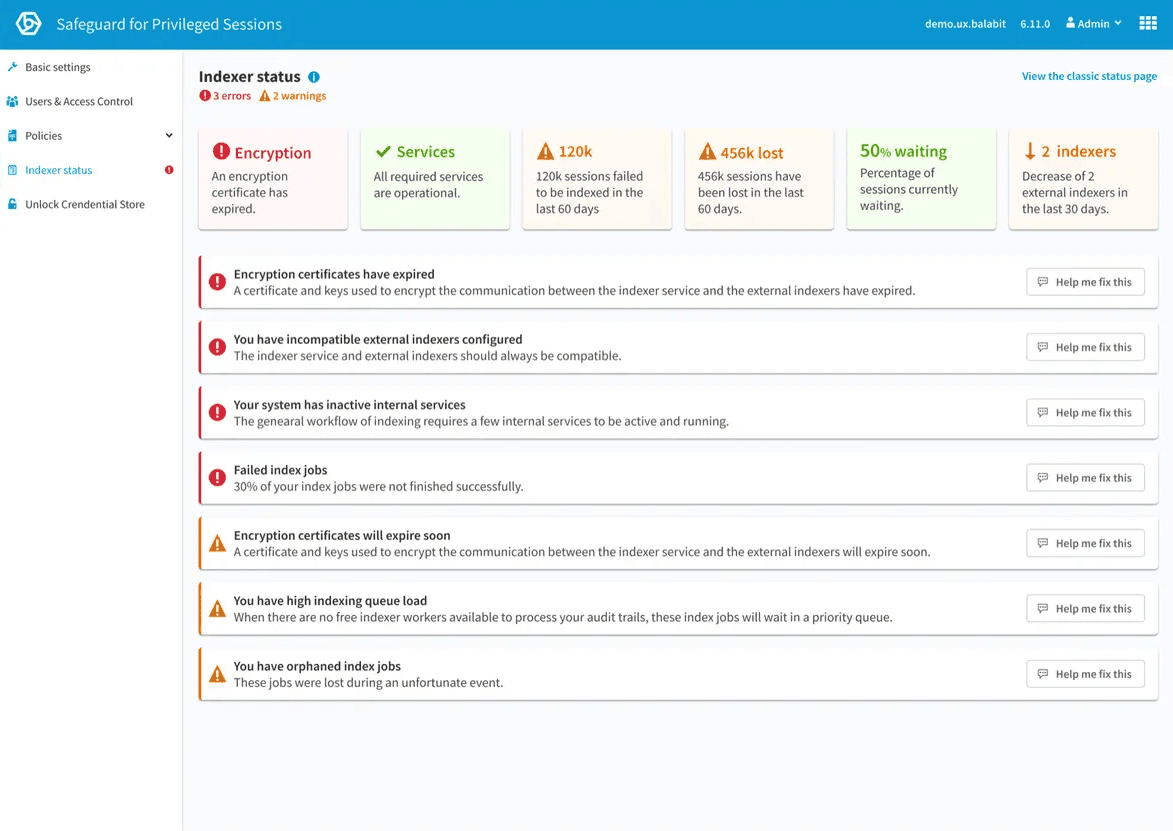
Designs solved customer problems and were completely different from what was initially expected — Indexer Status and User View are direct results of this process
Developers felt heard and invested in the solution
By being involved in workshops, engineers had ownership of what was eventually designed
Research and preparation completed well in advance of development
No more last-minute design decisions or scope changes mid-sprint
Developers gained a greater sense of purpose and united understanding
They understood why they were building solutions, not just what to build
2. Effective Design Handovers
Giving developers everything they need
Developers did not receive comprehensive design handovers, which resulted in confusion, resource waste, and a lack of communication.
Versioning and organised handovers
I established a structured handover process that gave developers autonomy to implement designs without constant back-and-forth:
Figma's inbuilt versioning
All designs given a version number, new edits on branches, merged to main with version numbers
Decision log
Recording decisions made: who, why, and when — so context is never lost
Change log
Clear documentation of what changed between versions and why
Figma's Dev Mode
Developers can inspect designs, copy CSS, and access design tokens directly
Reusable components
Consistent, composable components that reduce implementation ambiguity
Impact
Developers could work more autonomously, required less hand-holding, and worked significantly faster. There was less confusion and more communication, and as a result, the team could translate designs into code more efficiently. The back-and-forth that previously slowed every feature was greatly reduced.
3. User Testing Participant Database
Research ops for a team without customer access
The Design Team could not collect and invite participants to remote usability studies. Captured customers were not shared, and as designers left and joined the company, their contacts were often lost. This resulted in less testing, which impacted the quality of products' experiences.
A fully automated participant pipeline
I built a database to hold participant information, enabling designers to easily create a usability study, find and select the right participants, and automatically invite them with a booking link — all in one click. The entire system was powered by Microsoft Power Automate.
Collect
Microsoft Form captures participant information. Power Automate adds them to the SharePoint database and emails an additional form.
Enrich
Additional form updates participant data. If no match is found, staff are alerted on Microsoft Teams.
Invite
When a designer changes a participant's status to 'Invite', Power Automate sends a personalised email with the booking link.
Three automations powering the pipeline
New participant flow
Triggers on form submission. Gets response details, checks for existing participants, adds to SharePoint, sends confirmation email with additional form link.
Data enrichment flow
Triggers when additional form is completed. Updates participant data in SharePoint. Alerts on Teams if no participant match is found.
Invitation flow
Triggers on status change to 'Invite'. Updates status to 'Sent Invitation', logs the action in SharePoint comments, sends personalised booking email.
Impact
Designers across the company could now easily find the right participants for studies and bulk-invite them. With a shared collection of participants, multiple designers could access the same contacts — no more losing institutional knowledge when someone left. This resulted in more user studies with the right participants, producing better company-wide insights.
4. The Company's First Design System
A single source of truth across 5 products
Although One Identity had a Figma UI kit and a Component Library, there was no Design System Documentation. Designs were inconsistent without a single source of truth, resulting in a disconnected experience across products.
Building the foundation
I initiated and led the creation of the company's first Design System. While the component library and Figma library were already widely used across 5 products, there was no documentation — designers and developers had no reference for when to use which component, what states to handle, or what the design rationale was.
The Design System documentation was a work in progress when I left, but the component library and Figma library it was built on were already adopted across all 5 product lines.
Component documentation
Usage guidelines, states, variants, and design rationale for each component
Figma library
Shared component library used by all 4 designers across 5 products
Adopted across 5 products
Consistent design language replacing ad-hoc styling decisions
The Outcome
The infrastructure behind the product work
Every enterprise case study in this portfolio — User View, Indexer Status, Cmd+K Navigation — was built on top of this design operations work. The W+H workshops, Jobs to Be Done prioritisation, Red Routes diagrams, and design challenge documentation that appear in those case studies exist because of this programme.
Before this work, a team of 30 engineers who previously did not consider UX important had no structured way to understand customer problems. Six months later, they were running workshops, contributing to ideation, and building solutions they understood the purpose of. That cultural shift — not any single feature — is what changed how the team worked.
Changed ways of working
30 engineers transitioned from solution-led to problem-led development over 6 months.
Design System across 5 products
Component library and Figma library adopted company-wide, with documentation in progress.
Research ops from scratch
Automated participant database enabling designers to find, select, and invite participants in one click.
Foundation for product impact
User View, Indexer Status, and Cmd+K Navigation were all built using the processes established here.